【干货教程】方法:在Google Ads中查看加入购物车的次数
· 2024-03-12

Google Ads投放教程

方法:在Google Ads中查看加入购物车的次数


按照以下步骤查看即可:


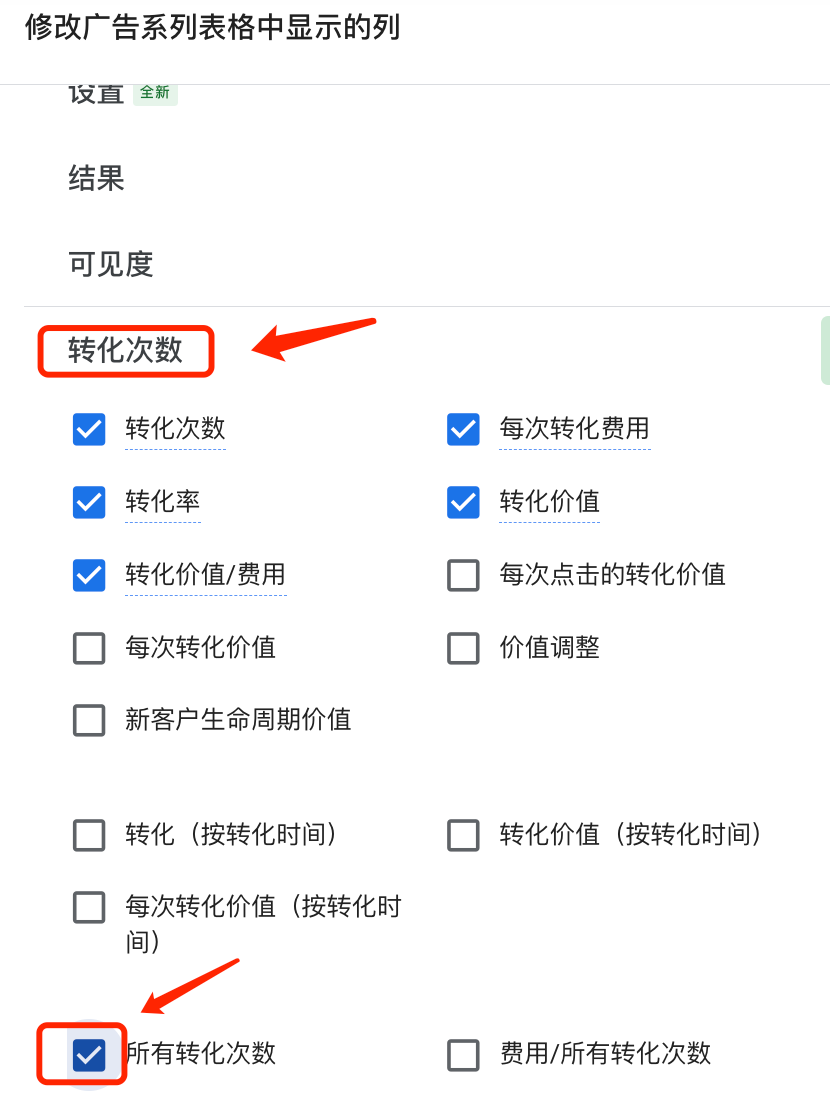
1. 在广告账户视图里点击“列”-“修改列”



2. 找到转化次数,勾选所有转化次数,然后点击应用


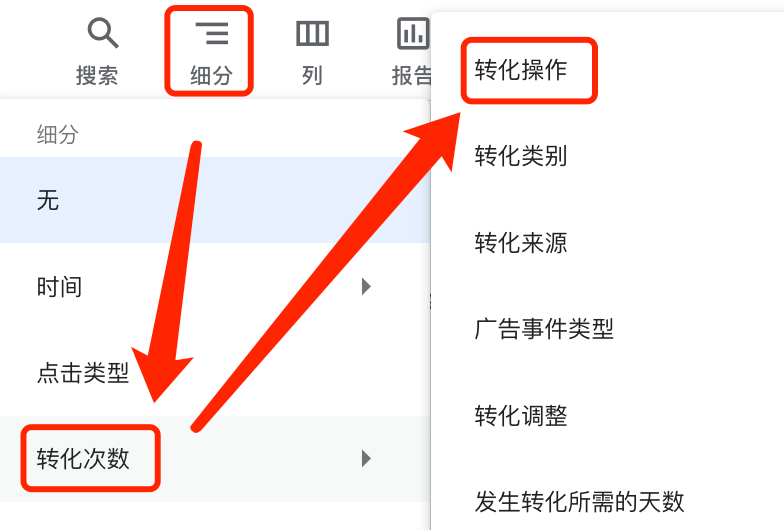
3. 在广告账户数据报告界面,找到“细分”-“转化次数”-“转化操作”


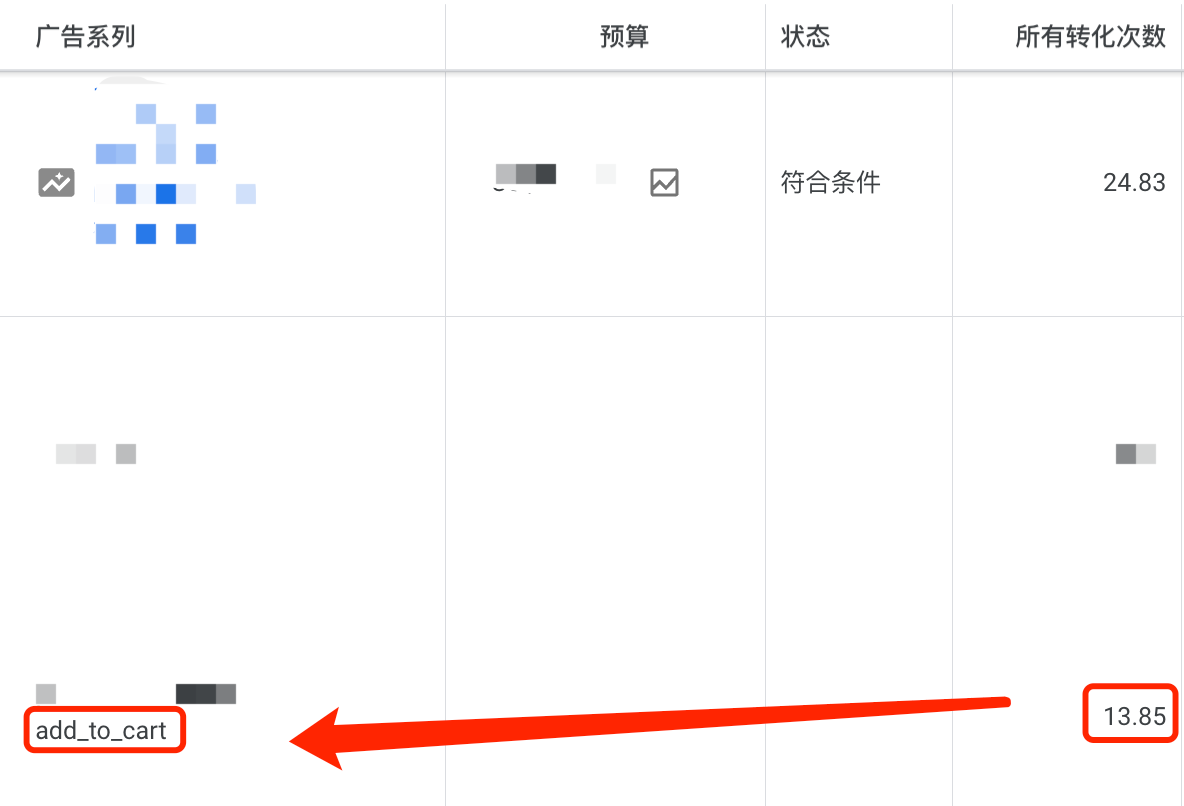
4. 然后就可以在广告系列的“所有转化次数”列里找到加入购物车的事件次数了。


以上就是今天的教程分享了~更多海外广告投放教程欢迎持续关注我们!


本文Google Ads 


熱門文章
GAT Expo Puerto Rico Will Pulse with the New Era of Gaming in the Caribbean
Marketing
PropellerAds Shared a New iGaming Case Study: 97,674 Installs and 12,701 Deposits in 3 Months
Marketing
UK MPs reopen 2025 gambling inquiry as reform stalls
Regulation
Institutional Academy that exceeded expectations marked the opening of GAT CDMX
Online Game
GAT CDMX 2025 Institutional Academy: Leaders and Experts Analyze the Present and Future of the Gaming Industry in Mexico and Lat
Sports Game
Zenith partners with HUIDU for 2026 World Cup Carnival Official Tour
Online Game
SBC Summit Canada to Make Player Safety a Key Pillar of 2026 Agenda
Marketing
Full House at GAT Expo Cartagena 2026 Academic Agenda
Online Game
Online gambling, crypto pose ongoing money laundering risks in Philippines, analyst says
Southeast Asia
Global Game Connect (GGC) 2027 Officially Opens Sponsorship & Exhibition Opportunities in Sri Lanka!
HUIDU Focus
1spin4win grows its Latin American presence by partnering with Fortuna Juegos
Online Game
Manila delivers: Highlights from SiGMA Asia 2026 
Southeast Asia
Indiana online casino bill stalls in House committee
Regulation
That’s a Wrap: AffPapa Conference Madrid 2026 Highlights
Online Game
Kazakhstan plans to penalise online casino promotions
Regulation
首頁
遊戲
合作
發現
我的