【Feed for google shopping插件】第5节:修改产品后如何加快插件同步?
· 2023-07-10

GMC Feed设置必看 - 在Shopify使用插件Feed for Google Shopping修改产品后如何加快插件同步?


如果我们在Shopify中修改了同步到产品Feed的SEO标题和SEO描述信息,为了让插件Feed for Google Shopping迅速抓取修改后的信息,可以在插件内这么操作:


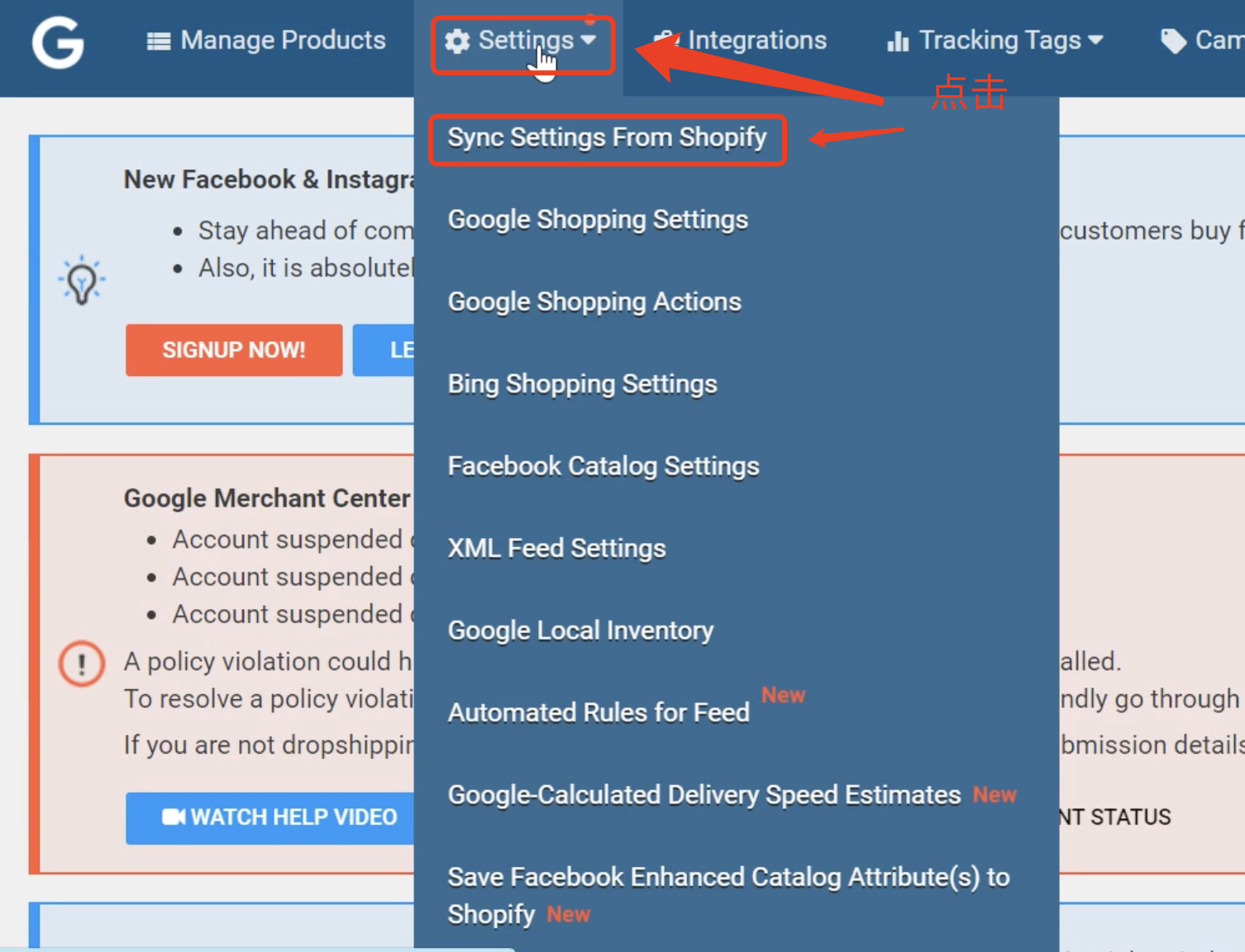
1. 点击“Setting”-“Sync Settings from Shopify


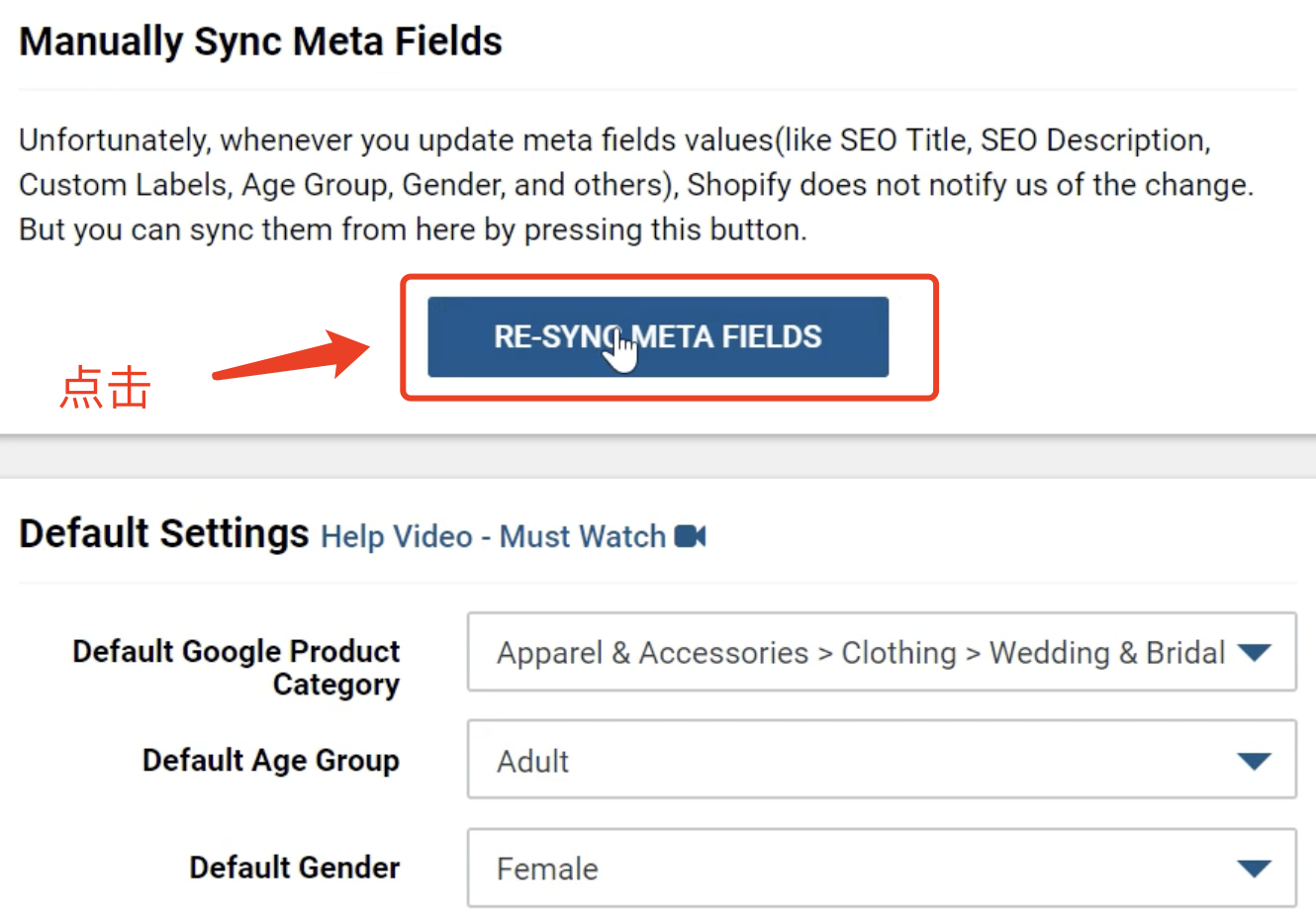
2. 点击“RE-SYNC META FIELDS”


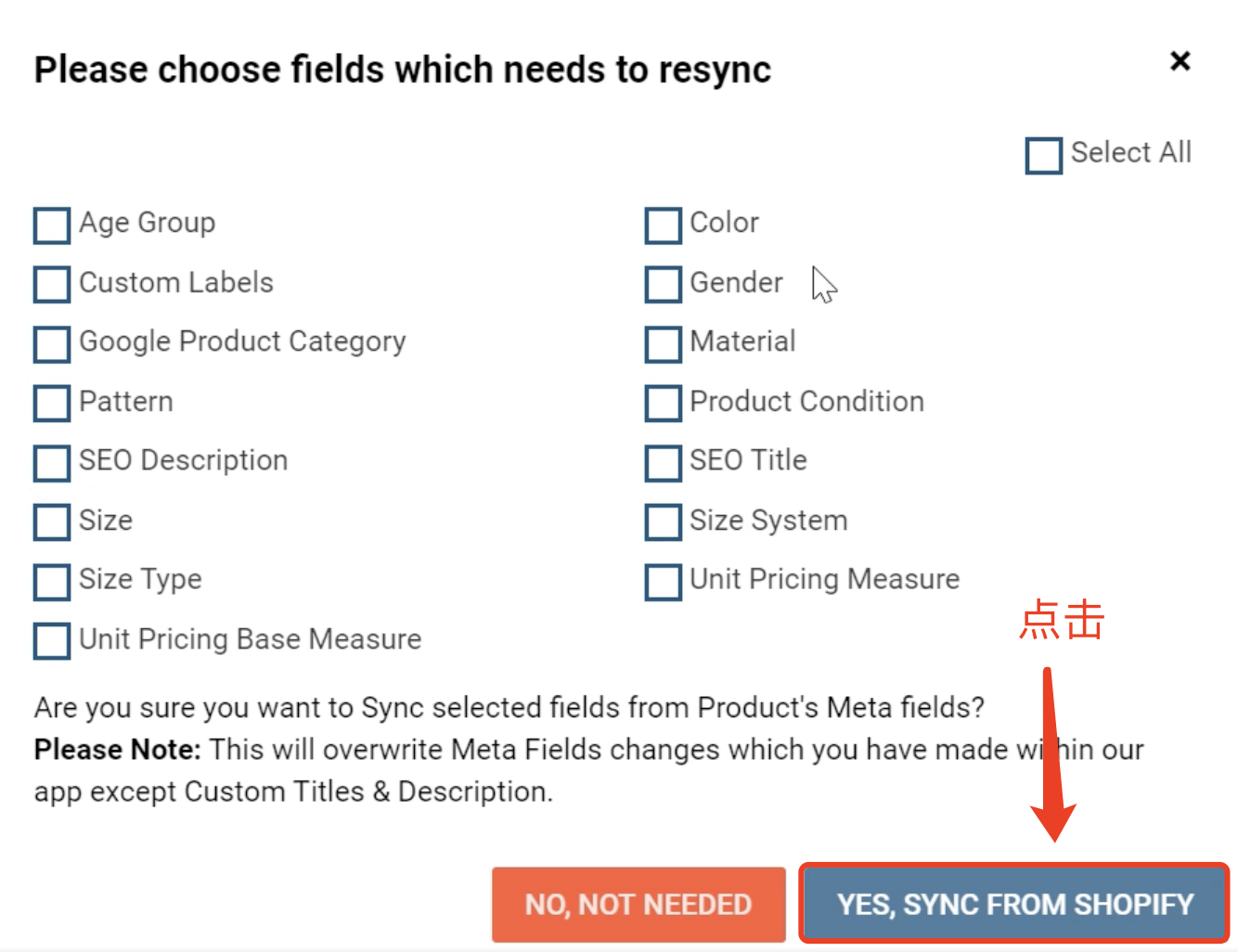
3. 修改了什么信息,则勾选什么信息,然后点击“YES, SYNC FROM SHOPIFY”


4. 接下来插件会自动抓取Shopify店铺内的新信息
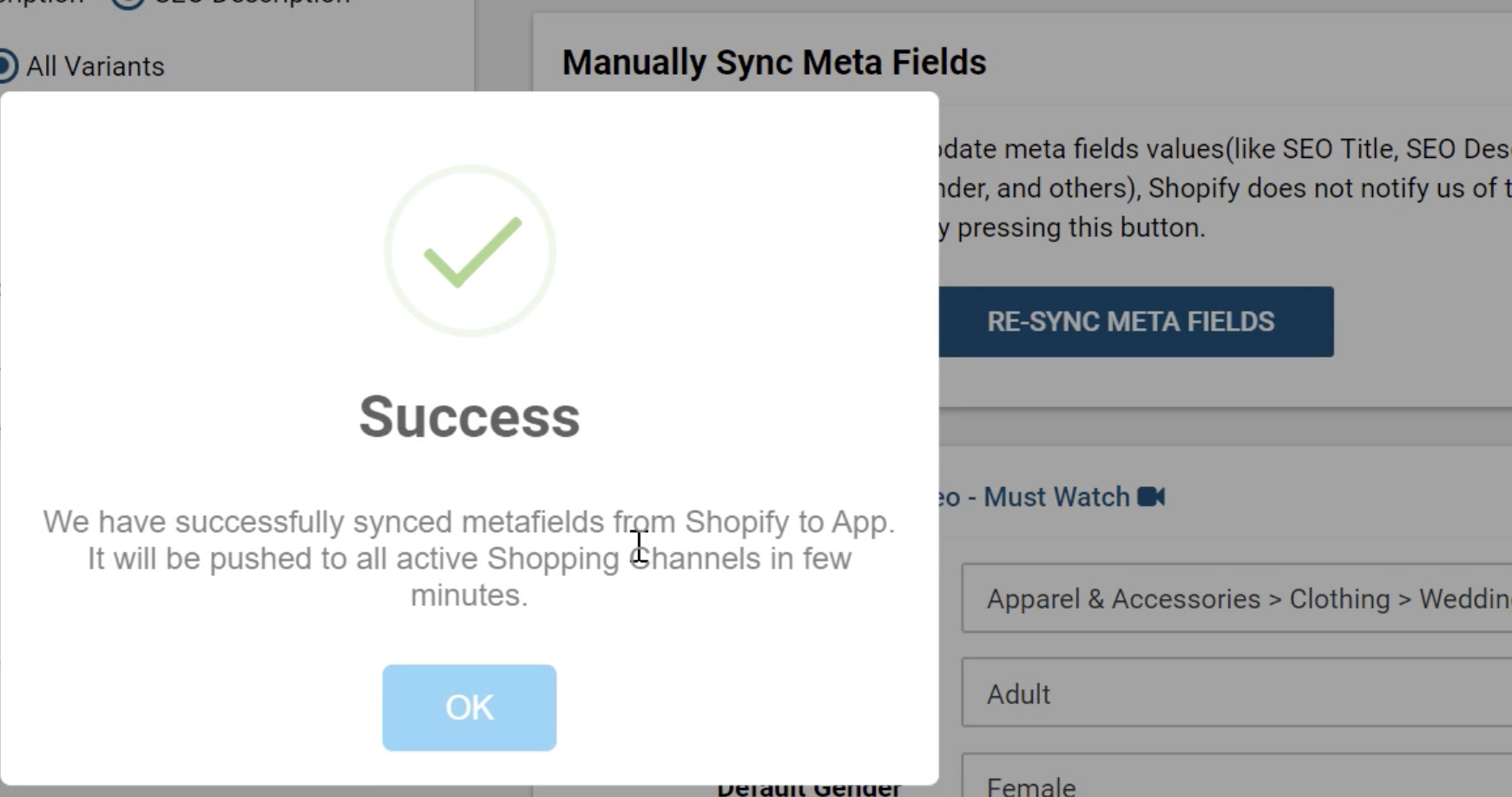


24小时内会GMC Feed会同步更新。


注意:更改Feed信息会导致GMC被审核,尽量不要频繁更改Feed信息,以免影响购物广告和效果最大化广告投放


本文Feed for google shopping插件


Popular articles
Super PAC Raises $48 Million: Sports Betting Forces Ramp Up Political Push
Regulation
GAT Expo Puerto Rico Will Pulse with the New Era of Gaming in the Caribbean
Marketing
Vietnam's tightening online gaming policy creates new market opportunities
Southeast Asia
UK MPs reopen 2025 gambling inquiry as reform stalls
Regulation
PropellerAds Shared a New iGaming Case Study: 97,674 Installs and 12,701 Deposits in 3 Months
Marketing
Vietnam’s Controlled Gaming Shift Gains Ground, But Domestic Demand Still Lags
Southeast Asia
JILI Partners with Cricket Legend AB de Villiers (ABD) to Launch Exclusive Branded Game Series 100% 11
Sports Game
Across 6 Cities: HUIDU Invites You to 8 World Cup Parties Redefining High-Value Social Networking
HUIDU Focus
SBC Summit Canada to Make Player Safety a Key Pillar of 2026 Agenda
Marketing
1spin4win grows its Latin American presence by partnering with Fortuna Juegos
Online Game
Institutional Academy that exceeded expectations marked the opening of GAT CDMX
Online Game
Gaming & Technology Expo Makes a Powerful Entrance in CDMX
Marketing
Are you ready to maximize your earnings? Try ProPush.me Constructor!
Marketing
B2B Tech Infrastructure Gains Momentum in Philippine Gaming Sector
Southeast Asia
Kazakhstan plans to penalise online casino promotions
Regulation
Home
Game
Cooperation
Find
My