【2023最新版】将GA4的Google tag安装在网站网页中的操作方法
· 2023-10-27

Google Analytics干货教程分享

GA4Google tag安装在网站网页中的操作方法:


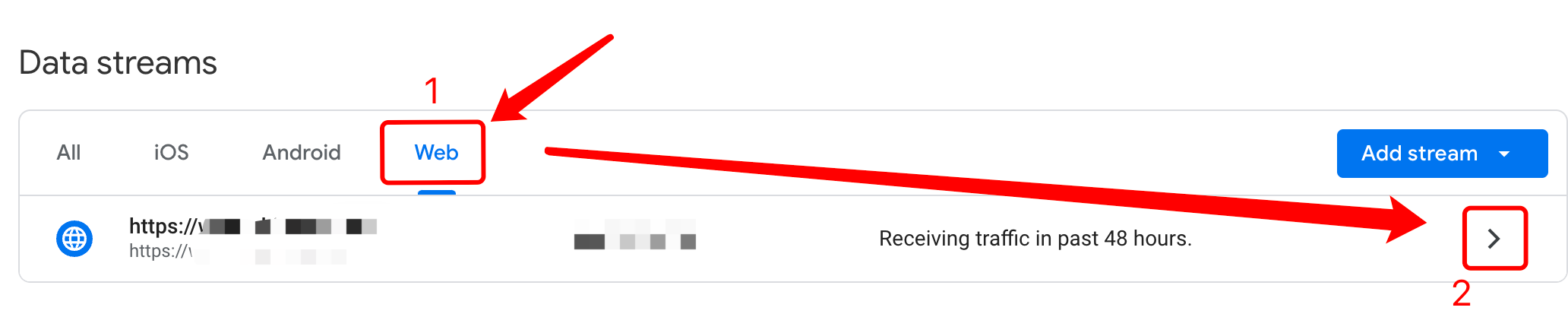
1. 打开GA4,点击左下角的管理(Admin),在媒体资源(Property)里找到信息流(Data Streams)


2. 点击Web,然后点击右侧的箭头,如图所示


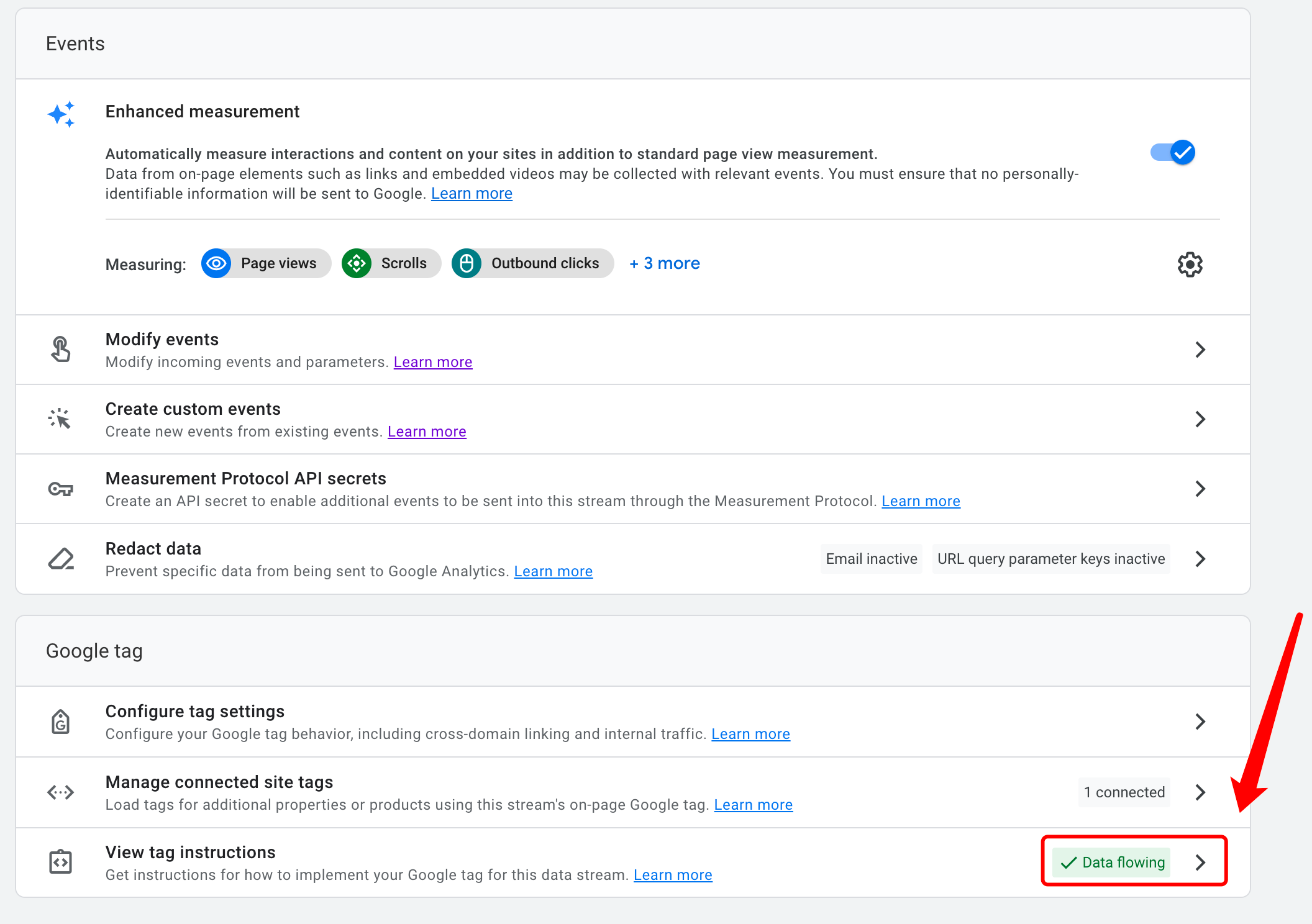
3. 在页面最下方,点击查看代码View tag instructions右侧的箭头


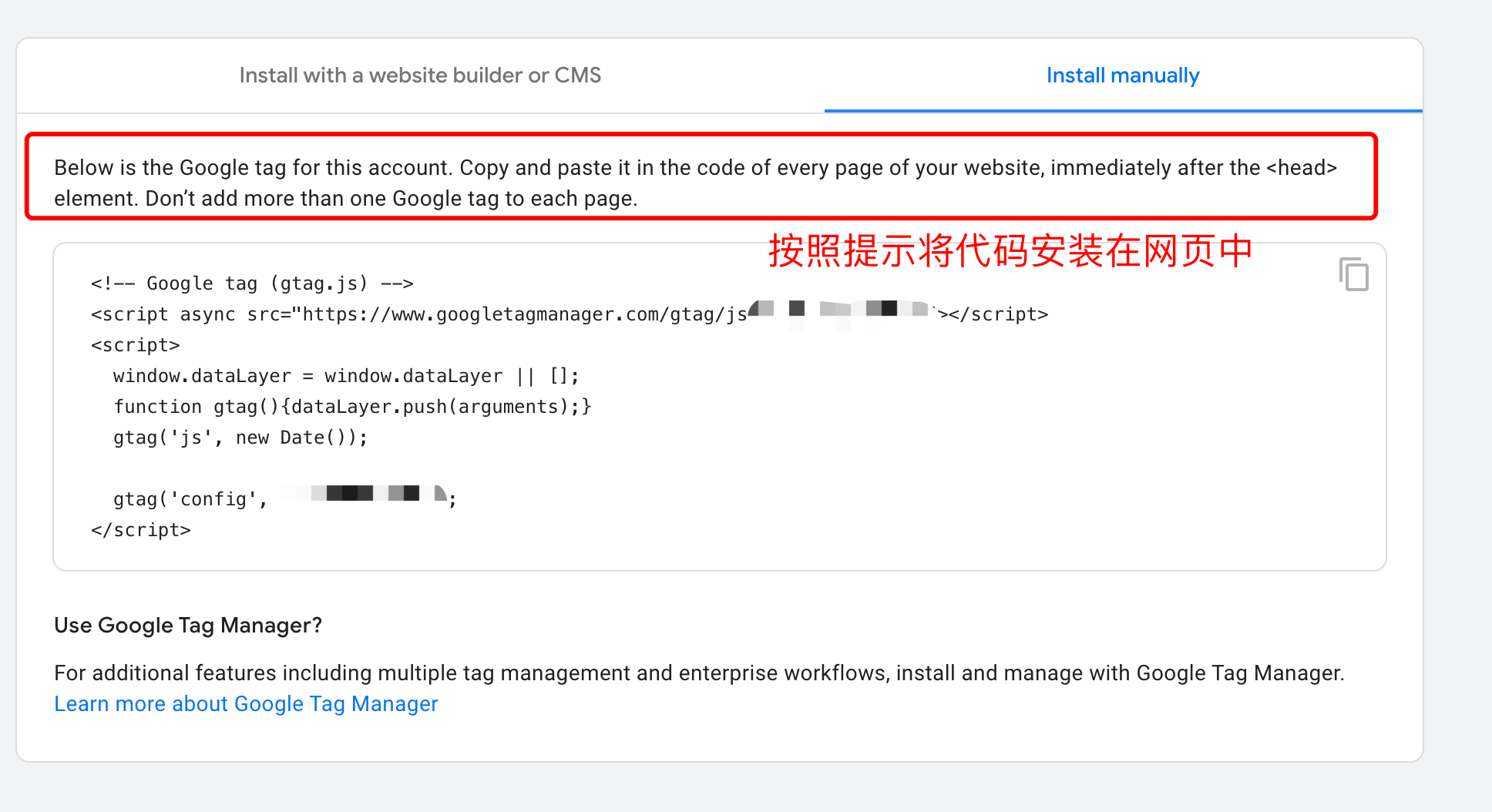
4. 按照提示将代码复制,安装在网页的指定位置


本文Google Analytics

Popular articles
JILI Partners with Cricket Legend AB de Villiers (ABD) to Launch Exclusive Branded Game Series 100% 11
Sports Game
Are you ready to maximize your earnings? Try ProPush.me Constructor!
Marketing
Brazil Proposes Raising Gambling Tax Rate to 24%, With Revenue Allocated to Social Security and Healthcare
Regulation
1spin4win grows its Latin American presence by partnering with Fortuna Juegos
Online Game
New Jersey July Gambling Revenue Hits $606M, Sweeps Casinos Banned
Regulation
Indiana online casino bill stalls in House committee
Regulation
What’s on the SBC Summit Conference Agenda in 2026?
Marketing
Full House at GAT Expo Cartagena 2026 Academic Agenda
Online Game
Global Game Connect (GGC) 2027 Officially Opens Sponsorship & Exhibition Opportunities in Sri Lanka!
HUIDU Focus
Super PAC Raises $48 Million: Sports Betting Forces Ramp Up Political Push
Regulation
British gambling levy rates confirmed for each vertical
Regulation
Gaming & Technology Expo Makes a Powerful Entrance in CDMX
Marketing
Online gambling, crypto pose ongoing money laundering risks in Philippines, analyst says
Southeast Asia
PropellerAds Positions Itself as a Go-To Traffic Source for iGaming Advertisers Ahead of a High-Demand Season
Marketing
Zenith partners with HUIDU for 2026 World Cup Carnival Official Tour
Online Game
Home
Game
Cooperation
Find
My