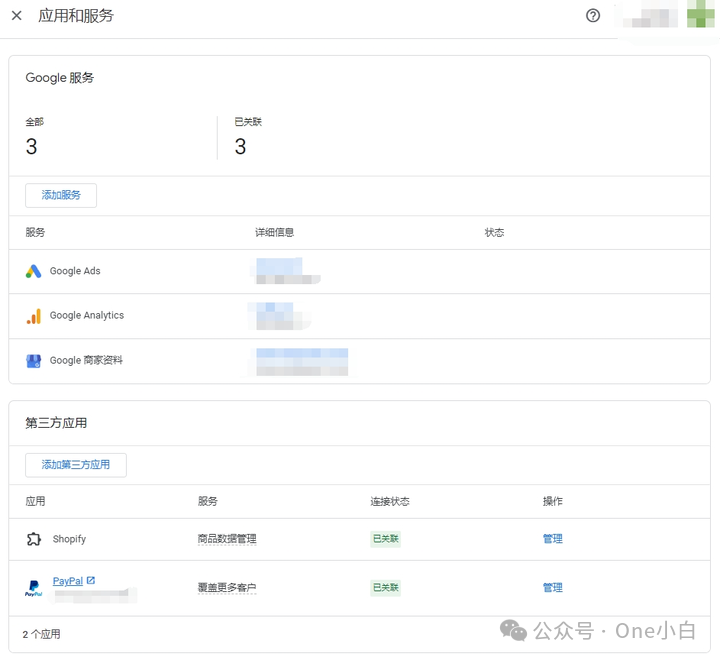
註冊 Merchant Center 賬號後,你可以關聯其他 Google 服務以及第三方應用,
圖源:Google Merchant Center
你可以將你的 Merchant Center 賬號與其他 Google 服務相關聯,以支援你的營銷活動、擴大覆蓋面、跟蹤轉化情況,並在 Merchant Center 和其他相關 Google 應用之間順暢地共享商品資料。
圖源:Google Merchant Center
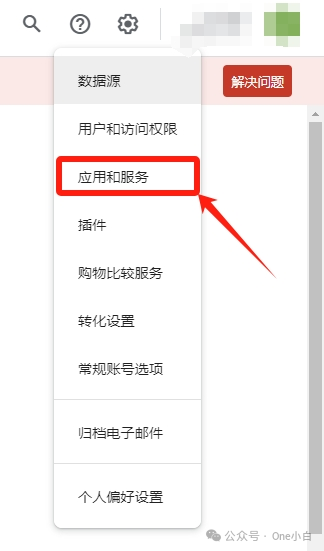
要與其他 Google 服務相關聯,首先在 Merchant Center 後臺右上角,點選“設定和工具”圖示,然後下拉選單選擇“應用和服務”,
圖源:Google Merchant Center
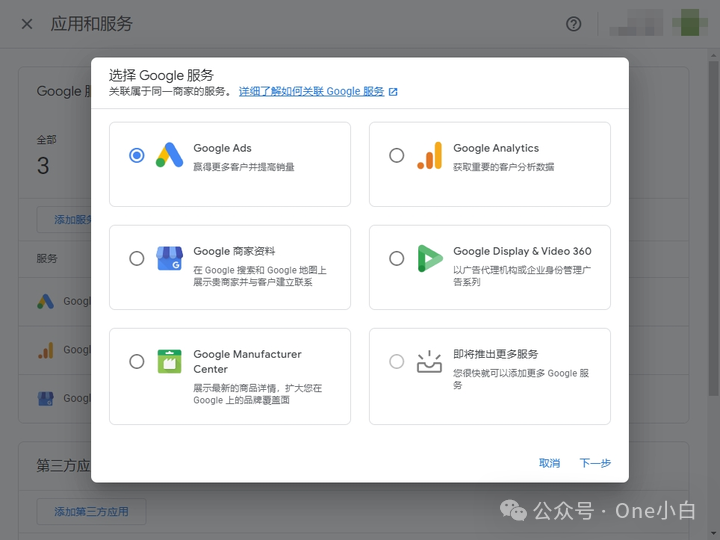
接著在應用和服務頁面(Google 服務),點選新增服務,
可與 Merchant Center 相關聯的其他 Google 服務賬號型別包括:
Google Ads 賬號:Merchant Center 關聯 Google Ads 賬號後,你就可以透過製作廣告系列來宣傳 Merchant Center 賬號中列出的商品(如本地商品目錄廣告、購物廣告系列和再營銷廣告系列)。但需確保你在 Merchant Center 和 Google Ads 賬號中擁有管理員許可權,以便發起或批准賬號關聯請求。
Google Analytics:將 Google Analytics 媒體資源與 Merchant Center 賬號相關聯後,你就可以將詳細的轉化資訊從 Google Analytics 傳送到 Merchant Center,從而能夠在 Merchant Center 中訪問特定的報告或資料洞見。
Google 商家資料:將你的 Google 商家資料與 Merchant Center 賬號關聯後,可以在廣告或非付費商品詳情中展示你的本地商品,你可以向同一 Merchant Center 賬號新增多個商店,但不能將同一個商店新增到多個 Merchant Center 賬號中並進行管理。
Display & Video 360:將 Google Merchant Center 賬號與 Display & Video 360 中的賬號關聯後,你就可以在 Display & Video 360 中使用商品資料 Feed 內的所有資訊來製作商品級動態再營銷廣告素材,追蹤活動並建立受眾以及查詢廣告資源和管理交易。
Google Manufacturer Center:將你的 Manufacturer Center 賬號與 Merchant Center 相關聯後,Manufacturer Center 中經驗證的品牌的商品資料將每天與 Merchant Center 進行同步,有助於擴大你的品牌在 Google 上的覆蓋面。
在 Merchant Center 的應用和服務頁面,除了可以關聯其他 Google 服務外,還可以將 Merchant Center 與第三方應用關聯,在各種 Google 產品和服務中展示、宣傳或銷售商品(如將你的 Merchant Center 賬號 和 Shopify 獨立站的銷售渠道 Google & Youtube 相關聯),
圖源:Google Merchant Center
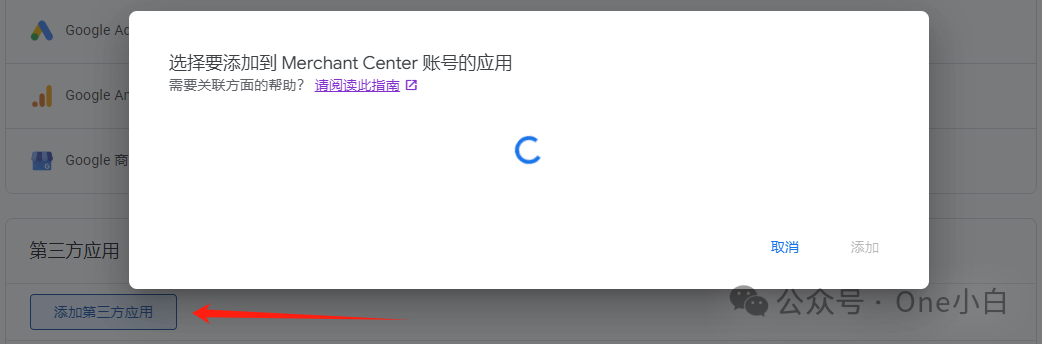
要新增第三方應用,在 Merchant Center 後臺應用和服務頁面的第三方應用部分,點選新增第三方應用,
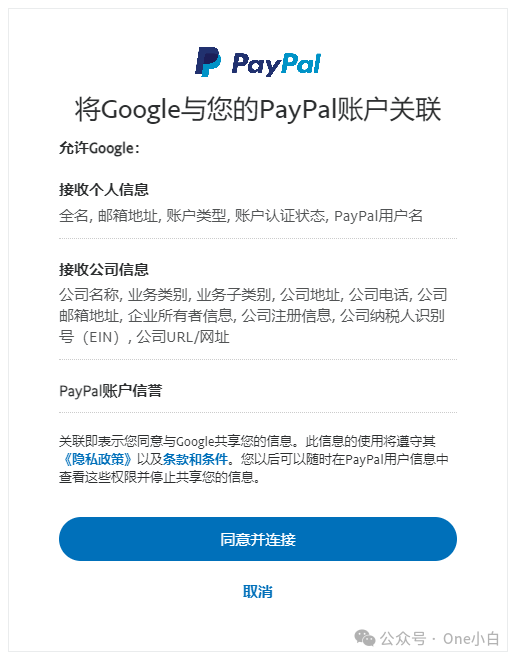
圖源:PayPal
選擇一個要與你的 Merchant Center 賬號關聯的第三方應用,點選新增,
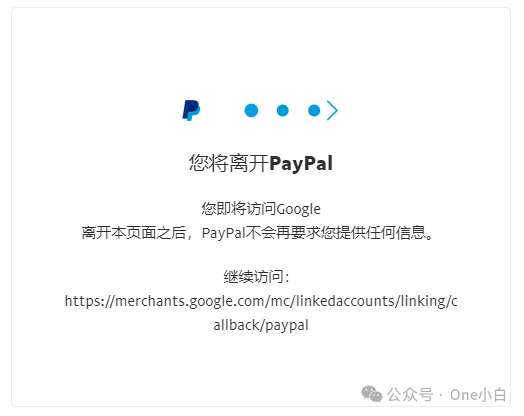
圖源:PayPal
然後按照相應頁面指引操作確認關聯,完成新增即可(從第三方應用發起關聯可能會更簡便些),
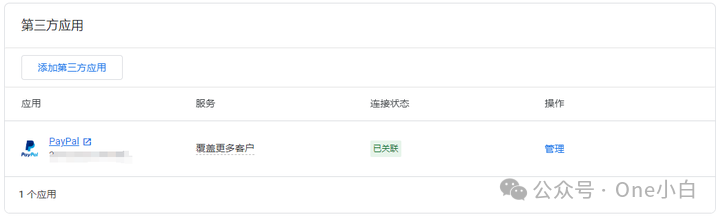
圖源:Google Merchant Center
關聯第三方應用後,返回 Merchant Center 後臺的應用和服務頁面,檢視第三方應用的連線狀態列可以檢查你的賬號是否已成功關聯。如果賬號已成功關聯,則連線狀態會顯示“已關聯”。
以上便是如何將 Google Merchant Center 賬號關聯其他 Google 服務及第三方應用的流程介紹。